Wednesday, February 28, 2018

35 Online Video Tools for Simple Video Creation, Editing, and YouTube Management

Eyeballs are getting harder and harder to grab, especially on Facebook, where the auto-play feature has completely changed the landscape of the platform, both on desktop and mobile.

Right now, video is the most engaging Facebook format. Uploading 60-90 second, funny, evergreen videos with captions and short text introductions is one of the most successful tactics to slow down scrolling on the app, at least according to Buzzsumo. A good video usually stops consumers for about 23 seconds – enough to grab their attention, at least. Video is also preferred on mobile Twitter.

Ignoring the social media benefits of online video assets, YouTube is the second largest search engine, and it’s owned by Google! It’s important to rank well in it organically.

And that’s not to mention that according to Hubspot, most users would rather see videos than emails, images, blog posts, or other types of content.

So it’s clear that most potential customers want to watch online videos. How do we create them?

While trends are telling us that companies obviously need more video marketing, professional online video generation is expensive, cumbersome, and often difficult to pull together for most brands that aren’t already big-time video content generators.

It’s difficult but not impossible.

Here are some online video-maker tools we’ve gathered from across the Web that can help get the job done!

Video Brainstorming Tools

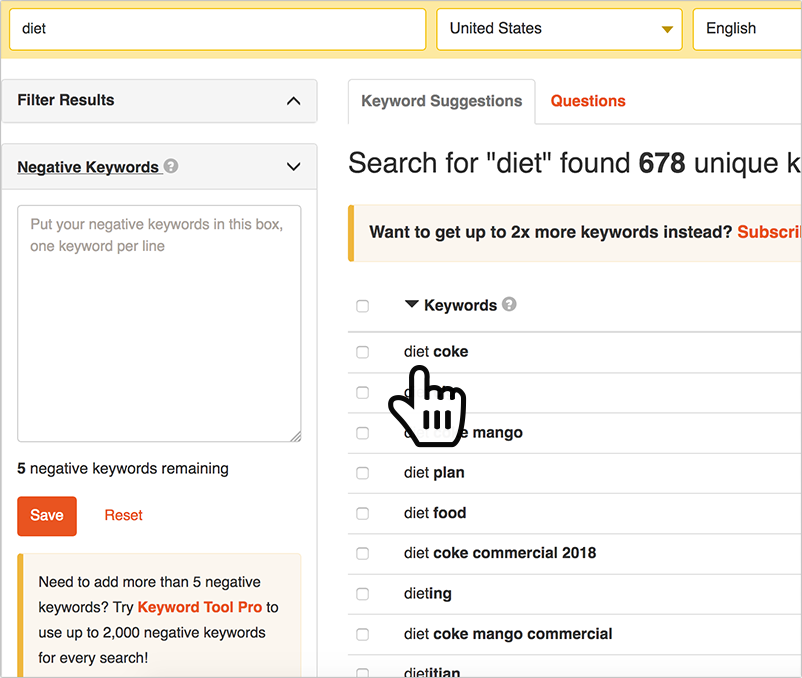
1. Keywordtool.io (Freemium): A nice tool to run any time you are brainstorming video topics and pick up some related keywords to optimize your Youtube page later when you publish the video. You can pick “Youtube” in the drop down for it to look into video-specific keywords. You can set a target word to see the keyword group around it or specify negative terms to filter those out.
More:

Video-Creating Mobile Apps

These video-making apps don’t even require a desktop computer: You can take videos with your phone and edit them with these apps.

2. Boomerang (Free): Create looping video for Facebook advertisements.

3. Legend (Free): This is the ultimate typography app for putting text in motion, and it looks really nice for square social video.

4. KineMaster (Free with a watermark that requires a subscription to remove; $4.99/month or $39.99/year to remove watermark and in order to download videos): This totally mobile video editing software will allow you to add in audio and effects! You can use cutting, trimming, volume control, chroma-key, and 3D transitions.

5. Videoshop ($1.99): Format videos into square, social-worthy clips for Facebook.

videoshop

6. Hyperlapse (Free): Create time-lapse videos for Instagram.

7. VidLab (Free): Add effects and sounds to the video you take on your phone.

8. Giphy (Free): Take a video and make a looping GIF. It’s easy to use to create content for tweets, Tumblr, and Facebook!

9. Clipomatic ($6.99): Turn what you say into live captions! It’s important for all videos made for Facebook to have text captions.

10. iMovie (Free): If you have a Mac product or iPhone product, you likely already have this app, which has many editing capillaries and can be used both for mobile and desktop.

DIY Explainer Video and Animation Tools

What if you don’t have any video assets to start with or you want cool animations for your videos? Luckily, there are several apps with video libraries of animations you can choose from.

11. VideoScribe ($29/month, $144/year, or $665 one-time payment; free seven-day trial): This is whiteboard video software with pre-made drawings and images. You can add text and voice-overs, use your own drawing hand, and add color.

12. Biteable (Free for five video projects per month with a watermark; $8.25/month for unlimited creation upload and download function, more templates, and no watermark): This is a popular template-based video service that includes animations and explainer video templates with music.

13. Rawshorts (Free for five video projects; $39/month for 25 exports per month and no watermark): Create animations with a drag-and-drop interface.

14. Lumen5 (Free for everything and unlimited videos, watermarked; $49/month for no watermark, font options, customization, and square videos; $99/month for 1080p videos, brand presets, and custom fonts and music): Try this tool that’s explicitly made for turning articles into videos.

15. Wideo (Basic $19/month, 10 downloads per month, 1-minute videos from 20 templates; $39/month for 10-minute videos from 80 templates; $70/month for unlimited templates and unlimited video length): A robust animation creator with a lot of options, this is a marketing favorite.

16. Easy Sketch Pro (Starter level for $37 one-time fee; Business level for $67; Business Pro level for $97): This tool can create a more chaotic and fun doodle video with interactive functions.

17. PowToon (Free for limited storage, templates, music, max video length of 5 minutes and max five exports; $19/mo for Pro with 2 GB of storage and up to 15-minute videos and 25 exports; $59/month for no watermark and 10 GB of storage, no other restrictions): PowToon is an extremely popular animation creator with built-in templates and text.

18. Content Samurai ($97/month): This is an article-to-video smart editor that uses templates and your script plus photo and audio options.

19. WeVideo ($7.99/month for unlimited square and horizontal videos; $19.99/month business plan includes a team license, premium motion titles, collaboration tools, and social marketing options): This fast online video editor offers limited capabilities and is simple to use.

20. Slidely ($49/month basic for one video a month; $99/month for four videos per month; $199/month for 10 videos a month; $359/month for 15 videos per month): Access their library of high-quality stock videos and professional music to create square or ordinary videos.

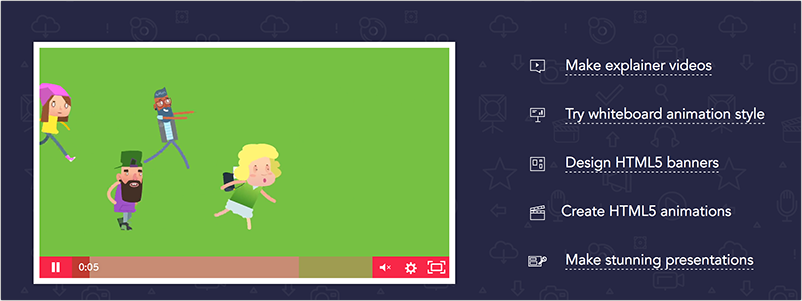
21. Animatron:
animatron

  • Wave.video ($39/month for 5-minute videos; $79/month for 20 brands and 15-minute videos; $149/month for 50 brands and 15-minute videos plus cheaper asset prices): This is a video editor tool with a huge array of stock images and designs.
  •  Studio (Free for no commercial rights and royalty-free animations; $15/month for no watermarks and a greater library of clips; $30/month for more storage, third-party transfer rights, and more import capabilities): Studio is an animation and explainer video tool for small businesses.

Tools for Audio and Sound Effects

Take a look at these sites to download royalty-free sound:

22. SoundArchive Online (Free)

23. Soundcloud (Free)

24. Freesound.org (Free)

Tools for Creating Thumbnails and Pictures

Let’s say you have shot an excellent scene and are ready to put it up on YouTube. You need an eye-grabbing thumbnail, and you may also need to create, crop, or design images to be used in your video. These are free tools that let you do that:

25. Snapseed (Free): Google’s photo editing app is great for editing thumbnails and creates cool graphics and transitions.

26. Canva (Free): The ultimate tool for creating graphics, this free utility has been a favorite of marketers for years.
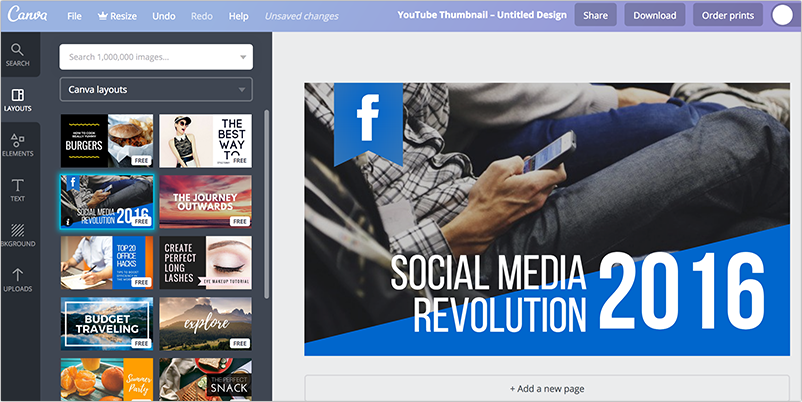
Canva

27. Pixlr (Free): It’s a robust free photo online editor.

28. PicMonkey (Free): This online photo editor is known for better selfies.

29. GIMP (Free): Download this program and you’re basically getting free Photoshop!

30. Sumopaint (Free): This free online editor is better for drawing your own graphics.

Pro Tip: Don’t forget that you can also create large pictures and make them pan and move later with most video editing software, a tactic called the Ken Burns effect.

Screen-Capture and Video-Grabbing Tools

There are other ways to generate video besides shooting the film yourself or creating an animation:

31. HYFY (Free): Use this screen-capture app to create video of your desktop; it’s great for tutorials of your software or products!

32. KeepVid (Free): Download videos directly from YouTube with this tool. (Remember to keep in mind copyright constraints, however.)

Tools for YouTube Analytics

33. Tube Buddy (Free for the browser extension; $9/month for more tools; $19/month for bulk processing tools; $39/month for advanced tools): This app comes highly recommended by Jim! It can allow you to schedule publication of videos and filter comments, and it suggests tags. It has dozens of data and promotion tools It will also allow you to create end screen cards, add emojis, create thumbnails, create captions, and more!

34. Tubular (contact for pricing): This data-collection app also has a wide network of content creators.
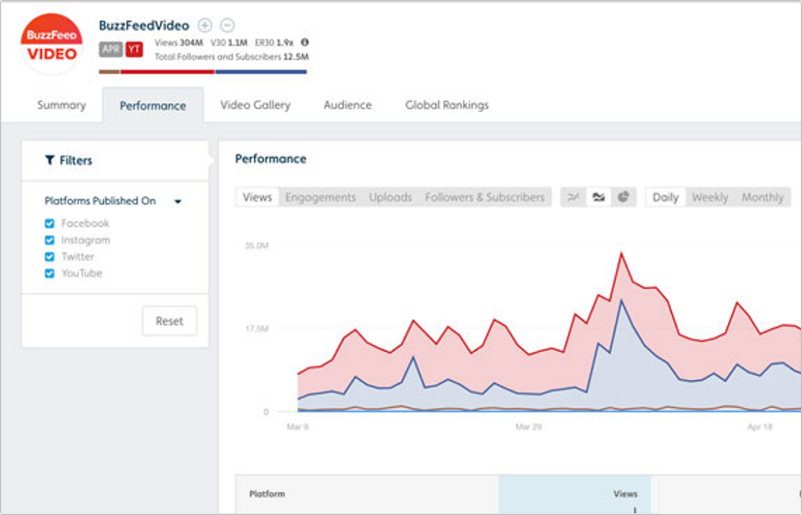
Tubular

  • DealMaker: Find contacts for sponsored videos!
  • Intelligence: Use this for research, coming up with ideas, and seeing what sorts of videos people want to see.

34. Youtube!

And lastly, one of the most useful apps is made by YouTube itself: the YouTube Creator Studio app! Here’s a quick rundown:

  • Dashboard: Check for notifications and alerts from YouTube, including the latest updates and stats for your review.
  • Video Manager: Organize and update your videos from one place or dig into a particular video to adjust settings individually. Use tools to optimize a video, tweak its settings, or bulk-update changes across videos with a single click.
  • Community: Communicate and collaborate with your fans and fellow creators. Review and respond to comments, read private messages, see videos where you’ve been credited, or review a list of subscribers (if your channel has at least 1,000 subscribers).
  • Channel: Adjust settings that affect your channel overall, such as signing up for monetization, controlling your upload defaults, or enabling live streaming.
  • Analytics: Review your channel’s performance and get info on how your channel is growing. Find reports and data to help you evaluate your channel and video performance, including views, subscribers, watch time, revenue for partners, and more.
  • Audio: Access the Audio Library to add sound effects or unique music.

And there are many more online video creation tools out there – this is just a sampling! But at least now it looks like creating videos for companies for marketing purposes isn’t impossible after all.

The post 35 Online Video Tools for Simple Video Creation, Editing, and YouTube Management appeared first on Internet Marketing Ninjas Blog.


from Internet Marketing Ninjas Blog http://ift.tt/2t3ujgZ
via IFTTT

Do Content Writers Really Need to Think about SEO?

In my experience, creative writing pros have an endless appetite for writing advice. How to add more color and texture to your writing, storytelling techniques, endless discussions about the serial comma and finer points of usage. Elements like copywriting and conversion strategy? That tends to start to divide people up. Some writers want to pick
Read More...

The post Do Content Writers Really Need to Think about SEO? appeared first on Copyblogger.


from Copyblogger http://ift.tt/2HU52cm
via IFTTT

Tuesday, February 27, 2018

How to Write a Killer Book Introduction

It might be a short ebook you intend to give away to blog subscribers. Or you might be trying to pen a New York Times bestseller. Either way, I think I know which bit of your book is causing you problems. The introduction. It’s the biggest hurdle for most of the writers I work with.
Read More...

The post How to Write a Killer Book Introduction appeared first on Copyblogger.


from Copyblogger http://ift.tt/2FzDAjw
via IFTTT

Monday, February 26, 2018

What Happens When Your Humanity Befriends Your Knowledge

Like. It’s easy to overlook that one, right? When it comes to the know, like, and trust factor that creates an effective sales environment, know and trust get a lot of attention. Like almost becomes a part of know and forgotten. Similar to that seventh dwarf whose name always slips your mind. (I’m looking at
Read More...

The post What Happens When Your Humanity Befriends Your Knowledge appeared first on Copyblogger.


from Copyblogger http://ift.tt/2CkOI4Z
via IFTTT

Thursday, February 22, 2018

Get Rid of Writer’s Block for Good

Hey there! This week, Copyblogger combated that terrible, horrible, no good, very bad curse that can plague writers: writer’s block. Some people don’t believe in it — but if you’ve wrestled with it, that probably isn’t too comforting. We’ve assembled proven ways to prevent writer’s block or blast through it if it does rear its
Read More...

The post Get Rid of Writer’s Block for Good appeared first on Copyblogger.


from Copyblogger http://ift.tt/2BIREXZ
via IFTTT

Wednesday, February 21, 2018

Going to Social Media Marketing World? Brian and Sonia Would Love to See You!

Will you be heading to San Diego at the end of the month for Social Media Marketing World? Brian and I will — and we’d love to connect! Brian will be giving a talk on Next Level Blogging: From Content Creator to Audience Architect. I’m not speaking this time, which means my schedule will be
Read More...

The post Going to Social Media Marketing World? Brian and Sonia Would Love to See You! appeared first on Copyblogger.


from Copyblogger http://ift.tt/2ofxSMk
via IFTTT

5 Ways to Tap into an Endless Wellspring of Creative Content Ideas

We start out with the best of intentions. We’re going to publish more content. Stick to a schedule. And, of course, make sure all of it is high-quality stuff that people actually want to read. The first week or two are good … and then … You fire up your WordPress dashboard. You click to
Read More...

The post 5 Ways to Tap into an Endless Wellspring of Creative Content Ideas appeared first on Copyblogger.


from Copyblogger http://ift.tt/2GxGx3u
via IFTTT

Tuesday, February 20, 2018

Why Informative Content Will Make You Think Content Marketing Doesn’t Work

You might want to take an extra sip of coffee before you read the next paragraph … We’re going to start with a brief geometry lesson today, but I promise it will be gentle. 🙂 Squares are rectangles, but not all rectangles are squares. Similarly, content marketing is content, but not all content is content
Read More...

The post Why Informative Content Will Make You Think Content Marketing Doesn’t Work appeared first on Copyblogger.


from Copyblogger http://ift.tt/2GtdNJ2
via IFTTT

Monday, February 19, 2018

How to Outsmart Writer’s Block with Neuroscience

There are approximately 86 billion neurons in the human brain, give or take a few million. Our next closest competitors in the animal kingdom are gorillas, who have around 33 billion, and then elephants with a far more generous 257 billion. To put all those numbers into perspective, our Milky Way galaxy has somewhere between
Read More...

The post How to Outsmart Writer’s Block with Neuroscience appeared first on Copyblogger.


from Copyblogger http://ift.tt/2FfehmD
via IFTTT

Thursday, February 15, 2018

5 Simple But Effective Visual Marketing Tools

There are so many visual marketing tools out there that it is turning what used to be a rather arduous task into a simple process anyone can do in half the time. No one has a single excuse for why they aren’t implementing visuals of all kinds into they social media and website content. It is just so easy these days, and it takes hardly any effort at all.

But not all tools are made the same, and some processes such as making videos are still very labor intensive. What I wanted to focus on here are those applications that don’t require much work, yet provide fun results.

Here are five simple but effective visual marketing tools for image specific formats.


1. Quotes Cover

Quotes Cover

Quotes Cover is an interesting tool. You are making simple visual representations of famous or personal quotes. You can add photos to the background, change the color, select a font and customize the size. It is available for different styles like Timeline covers, status image uploads, and even print like posters.

All you have to do is either select one of the quotes they have in their large database or put in your own custom one. Then follow the steps to make everything look just the way you want it. Finally, download the image for free and use it for whatever you like. People love text quotes, especially on sites like Pinterest, so this is a great one for sharable visuals.

Marketing idea: Viral marketing with quotes


2. Loupe

Loupe

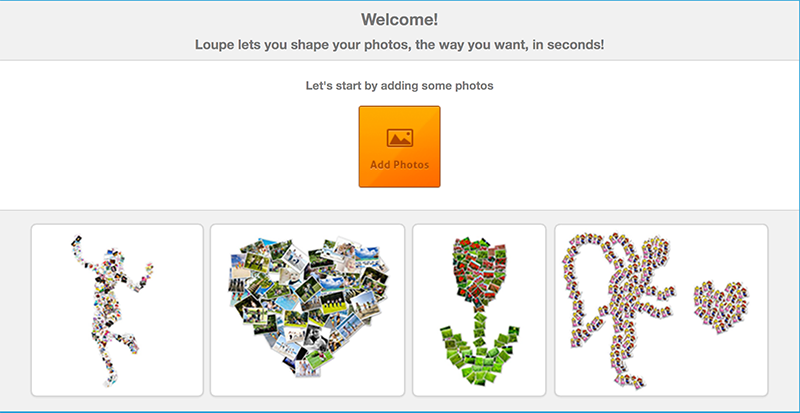
Loupe lets you create a card or collage using any photos you select. They will be shaped into a picture of your choice, such as a tulip or heart made up of all the images you have chosen to include. They have some pretty creative options, like a woman jumping in the air, or a cupid and heart.

The more photos you use, the more complex the shape can be. You can also make a card using your mouth to write the message. Feeling a little playful? Try their Where’s Waldo style photo hunt game. It is more addictive than you might expect.

More: Creating Photo Collages


3. Social Media Image Re-sizer

Social Media Image Re-sizer

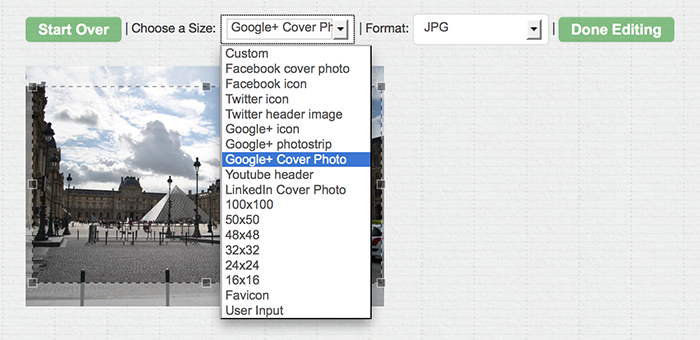
Social Media Image Re-sizer allows you to customize your own creative Timeline cover for Facebook. This is great for making personalized headers for your official brand page.

You will be able to really stand out, no matter what you end up choosing to go with. Just drag and drop, that is all there is to it.


4. PicMonkey

PicMonkey

PicMonkey lets you make a simple collage using your own images, sample images or pictures you find online. Arrange them using their pre-made templates, add colors, edit and add text, put in tags and more. Then save, download and share them with others through social networks.

This one is so easy to use, and the end results actually look pretty good. You could make up a series of these in minutes and have them on hand to share when you need a bit of eye candy to boost your content.


5. Piktochart

Piktochart

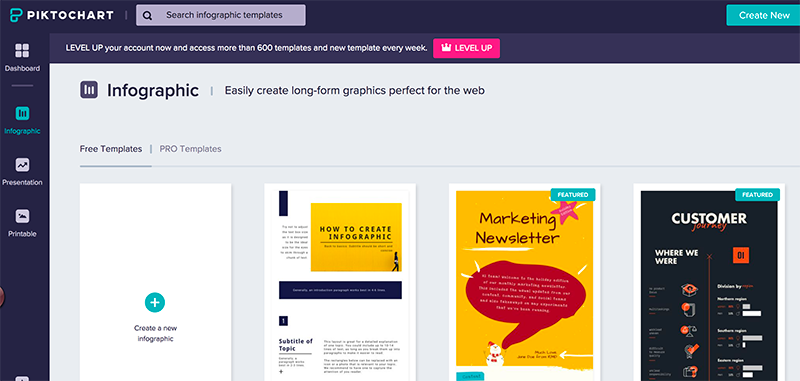
Infographics are really being used a lot these days, and that isn’t a shock given how much they offer by way of both visuals and information. You can create your own, as well as presentations, interactive charts and videos using Piktochart.

Check out the ones already published to the site by the community for inspiration, and make something really dynamic and attractive, even if you have no graphic design skills to speak of.

Marketing idea: How to promote infographics


Conclusion

Further reading:


Visual marketing isn’t just the way of the future, it is what is being used today. Users online expect to be dazzled, or at least to have more than straight text.

You can give them what they want while engaging on a more meaningful level using the simple tools above. It takes less time than doing it all manually, and it is all free.

Have some tools to add to the list? Let us know in the comments, and be sure to include a link!

The post 5 Simple But Effective Visual Marketing Tools appeared first on Internet Marketing Ninjas Blog.


from Internet Marketing Ninjas Blog http://ift.tt/2BYUwks
via IFTTT

What Content Creators Can Learn from Professional Artists

Great to see you again! This week was all about art. Some people think of “art” as self-indulgent or impractical, but that’s a dangerous myth. We’re talking about the roll-up-your-sleeves work that adds more artistry to your content — which is what we all need to attract our audiences’ attention in 2018. On Monday, Stefanie
Read More...

The post What Content Creators Can Learn from Professional Artists appeared first on Copyblogger.


from Copyblogger http://ift.tt/2o6FKyQ
via IFTTT

Wednesday, February 14, 2018

The ‘Ninja Trait’ that Copywriting Clients Are (Desperately) Looking For

Maybe you dreamed for years before becoming a professional writer. Maybe you’re still dreaming, trying to work up the courage to take that mighty leap. Once you do, you immediately find out that the dream of writing for a living tends to collide with the nightmare of meeting your deadlines. Not to mention keeping track
Read More...

The post The ‘Ninja Trait’ that Copywriting Clients Are (Desperately) Looking For appeared first on Copyblogger.


from Copyblogger http://ift.tt/2BsvlWw
via IFTTT

Tuesday, February 13, 2018

You Need Both of These Skill Sets to Keep Your Audience Coming Back for More

When I’m not performing my typical duties as Rainmaker Digital’s Marketing Technologist, I’m cooking up a storm in my kitchen. Amidst the rhythmic chopping of fresh produce, the clashing of pots and pans, and the roar of boiling water, I realized that my two roles have a lot in common. They both require a balance
Read More...

The post You Need Both of These Skill Sets to Keep Your Audience Coming Back for More appeared first on Copyblogger.


from Copyblogger http://ift.tt/2HctWUj
via IFTTT

Monday, February 12, 2018

The Power of Believing You’re an Artist

In How to Feel Good as a Writer: an Origin Story, I wrote, “It’s not our job to know all of the whys, whats, and hows of the future. It’s just our job to do the work.” “Doing the work” before you reach professional status in a creative field is often self-directed. Because it’s in
Read More...

The post The Power of Believing You’re an Artist appeared first on Copyblogger.


from Copyblogger http://ift.tt/2soGPY2
via IFTTT

Thursday, February 8, 2018

3 Ways to Create ‘Next Level’ Content

This week, we offered concrete ways to make your content more memorable, more compelling, and more attractive to your audience. The three blog posts and podcast episodes I highlight below each give easy-to-implement advice that can transform your work. On Monday, Loryn Thompson kicked us off with a post about respecting your audience’s intelligence and
Read More...

The post 3 Ways to Create ‘Next Level’ Content appeared first on Copyblogger.


from Copyblogger http://ift.tt/2EdhXnx
via IFTTT

Wednesday, February 7, 2018

Quit Annoying Your Audience! Take 3 Simple Steps to Focus Your Content

Ever have a friend who tells stories that never seem to go anywhere? It sounds okay at first, then it spins off to a tangent about how they met their spouse, then we go into their first college dorm room, with a side trip to that deeply formative event that happened in third grade, then
Read More...

The post Quit Annoying Your Audience! Take 3 Simple Steps to Focus Your Content appeared first on Copyblogger.


from Copyblogger http://ift.tt/2EszyLW
via IFTTT

Tuesday, February 6, 2018

Transform Your Business Website Using Our Free ‘Design 101’ Ebook

Is your current website design working for your business as well as it could be? You might know that it’s not, but don’t know where to start when it comes to a redesign. We understand that. Choosing a WordPress theme for your website can be a little overwhelming and leave you with lots of further
Read More...

The post Transform Your Business Website Using Our Free ‘Design 101’ Ebook appeared first on Copyblogger.


from Copyblogger http://ift.tt/2EmZKY8
via IFTTT

Monday, February 5, 2018

Fix This Writing Mistake to Engage Readers with the Right Challenges

In college, there are three kinds of classes. First, there’s the blow-off classes, where 80 percent of your grade comes from fill-in-the-blank worksheets. To pass, all you really have to do is show up. Then, there are the classes taught by “real hardasses.” These classes kept you up well past midnight, flipping frenetically through flashcards,
Read More...

The post Fix This Writing Mistake to Engage Readers with the Right Challenges appeared first on Copyblogger.


from Copyblogger http://ift.tt/2E2mbyd
via IFTTT

Thursday, February 1, 2018

Real Name Policies on Facebook, LinkedIn, Quora and Google Plus: Clarified [Updated]

Real Name Policies on Facebook, LinkedIn, Quora and Google Plus: ClarifiedSince the start the web anonymity has been quite a hot controversy in social media world.
On one hand, everyone has the right to remain anonymous online to avoid personal attacks.

On the other hand, social media networks have been trying to promote “real” connections which resulted in many of them forcing “real name” policy on their users.

Let’s see what the “real name” policy is these days:

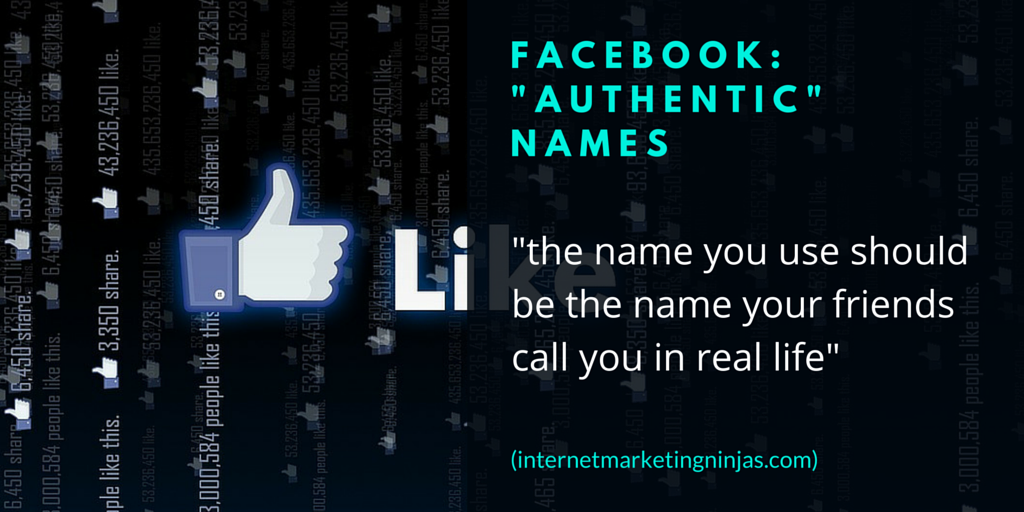
1. Facebook: “Authentic” Names

Facebook: "Authentic" Names

Facebook terms of service go into much detail explaining their “real name” policy noting that “the name you use should be the name your friends call you in real life“.

On October 1 2014, Chris Cox, Chief Product Officer of Facebook, also clarified:

Our policy has never been to require everyone on Facebook to use their legal name. The spirit of our policy is that everyone on Facebook uses the authentic name they use in real life…

We believe this is the right policy for Facebook for two reasons. First, it’s part of what made Facebook special in the first place, by differentiating the service from the rest of the Internet where pseudonymity, anonymity, or often random names were the social norm…

Their identification tools don’t seem to allow much freedom though because in order to confirm your identity, you are required to provide a photo IDs and you may not have one for the name your friends are using in real life…

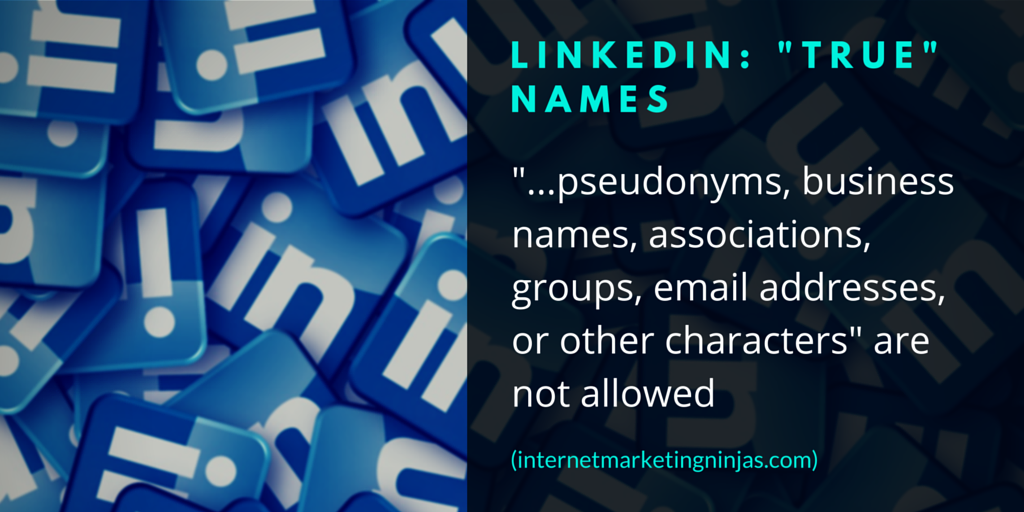
2. LinkedIn: “True” Names

LinkedIn: "True" Names

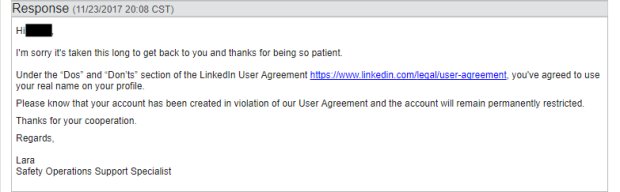
Due to its professional nature, LinkedIn requires “true” names without clarifying what that means but noting that “pseudonyms, business names, associations, groups, email addresses, or other characters” are not allowed.

If you are one of multiple people using your professional pseudonym when registering a professional account at Linkedin, you may be in trouble. Here’s a very well-written, very well-grounded case by someone who is forced to be using their real name on Linkedin.

real name policy linkedin

The real issue is the personal safety of various categories of users, for making your name known can have serious – and even lethal – consequences in certain cases.

Think of political antagonists using the Internet to democratically criticize an oppressive regime; think of secular minorities living in countries with a mandatory State religion; think of social activists fighting an unjust establishment; think of people of ethnic origins operating in racist societies. Think, since we are on this website, of people discriminated against for their sexuality.

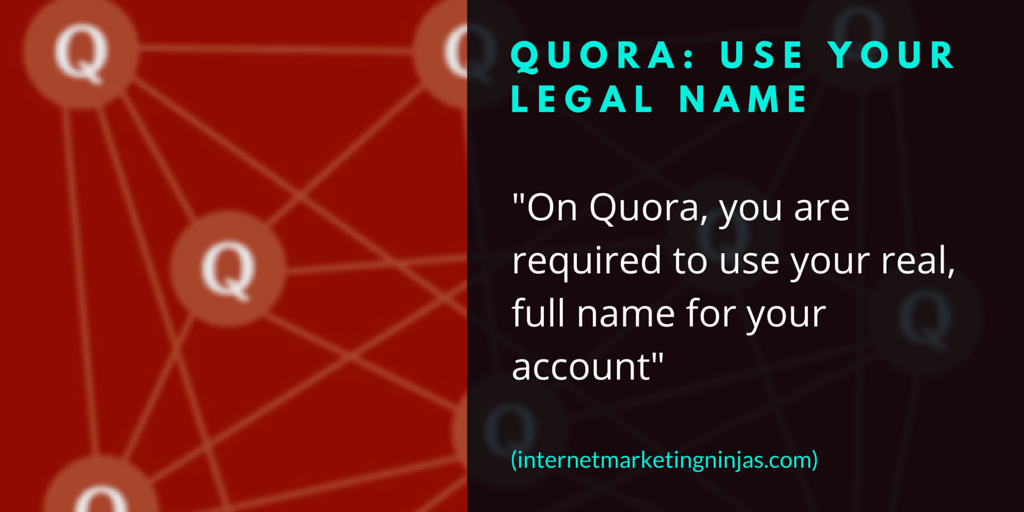
3. Quora: Use Your Legal Name

Quora: Use Your Legal Name

Founded by former Facebook employees, Quora is making the same mistake Facebook started with, the only difference being Quora has never tried correcting it standing firmly by their questionable decision.

Quora requires a “real full name” and explains that one should stand by their answers and the best way to do that is to use their real names. In case you are reported for not using your real name, you have to provide your ID which means you have to use your legal name.

They do have “reply anonymously” option to help those who don’t want their names to be associated with certain answers, but it’s not helpful to those who want to use their well-known monikers they use elsewhere.

While they say that they make exceptions sometimes, Quora real name policy is the major reason of its strongest users’ unhappiness (warning: NSFW language in that one)

Real name policy Quora

It is still hilarious to find such an adamant policy enforcers on the Internet, and it makes me wonder how Quora managed to put a bunch of lunatics to frame a policy on the Internet that forces users to reveal their identities.

While it sounds like LinkedIn, there is a marginal difference between the two networks. The former network requires such a deep level of credibility to enhance one’s network and still they never want to screw your name and they clearly don’t enforce it on you. The latter is just a Q/A network with a great user base. Somehow, they manage to mess everyone (except JJ Abrams and Soleio) with a naming policy.

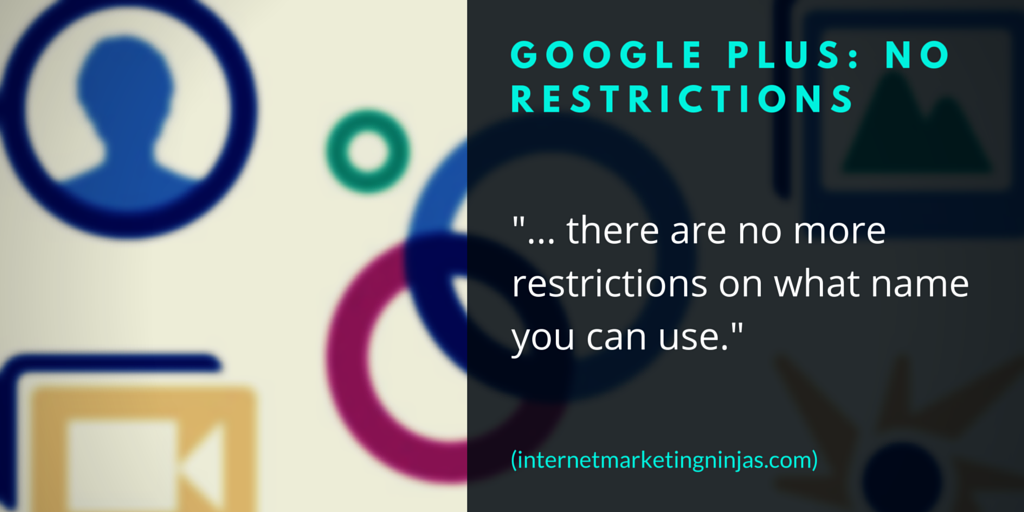
4. Google Plus: No Restrictions Any More

Google Plus: No Restrictions

In an obvious effort to profile the web, Google started Google Plus with a very strict real name policy which ended up in lots of controversies.

The policy didn’t work for Google Plus well, especially when they started aggressively integrating it into Youtube (where few people use real names).

On July 15, 2014 it was announced that there were absolutely no restrictions as to what name you should use when registering an account at Google Plus.

What are your thoughts about social media real name policies? Share your thoughts!

The post Real Name Policies on Facebook, LinkedIn, Quora and Google Plus: Clarified [Updated] appeared first on Internet Marketing Ninjas Blog.


from Internet Marketing Ninjas Blog http://ift.tt/2ExGGUU
via IFTTT